SpriteFrameCutterPro
A downloadable tool for Windows
What is this?
A standalone, sprite-sheet-first editor: it focuses on editing the atlas itself (not painting, not a timeline).
Use it to rearrange, swap, and rebuild sprite sheets quickly—then export data for your pipeline.
Why I made it
In image processing software, simply selecting and swapping two tiles often means guides, precise selections, and repeated nudging.
In timeline-based pixel tools, a sheet usually has to be imported as frames first, which is overkill when you just want to reorganize an atlas.
This tool is built around the atlas: click tiles, drag them, and rebuild your sheet directly.
Key features
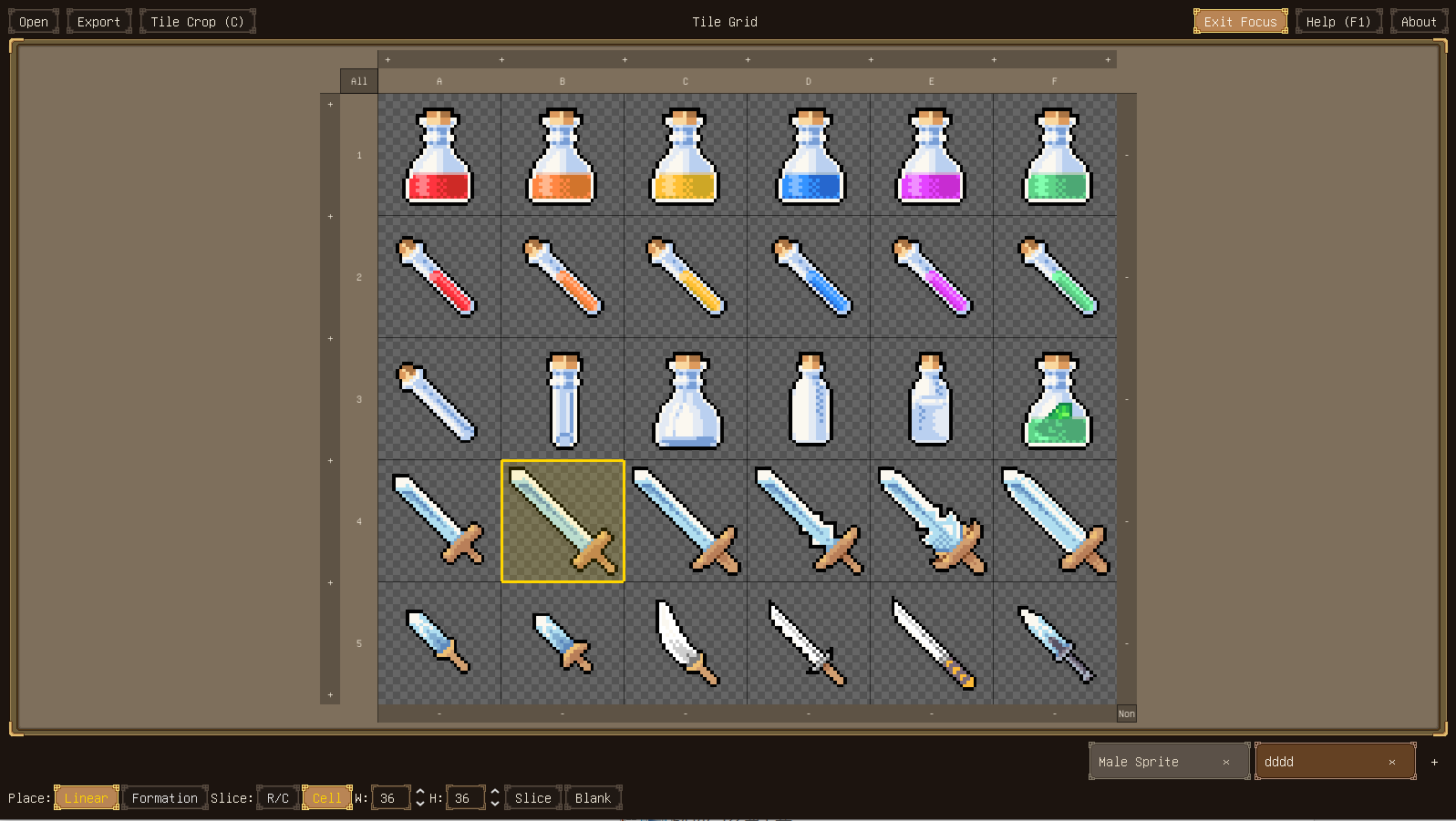
- Multi-select and mouse-first editing
- Cut/Copy/Paste
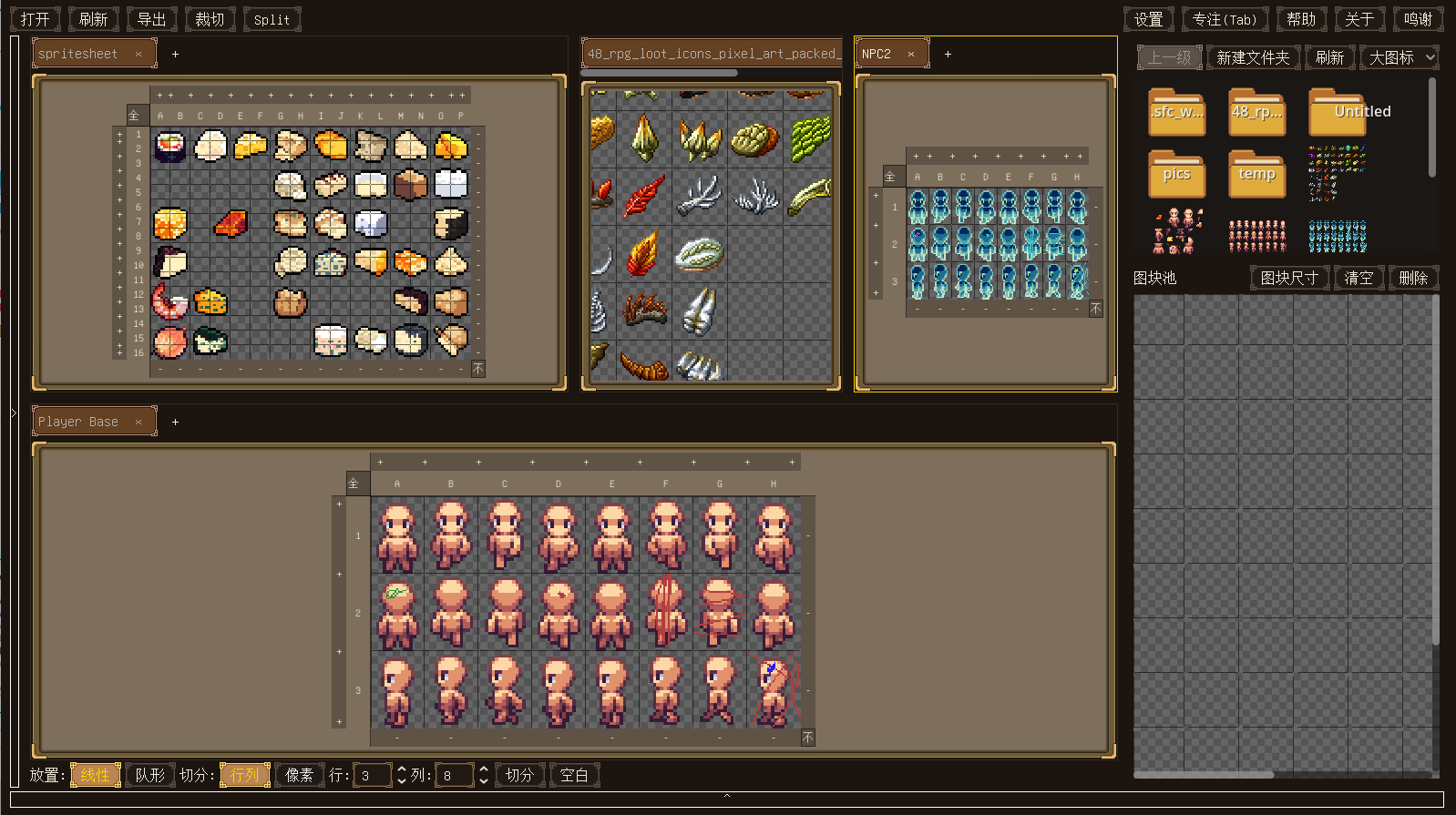
- Cross-atlas operations: move sprites between sheets
- Paste modes:
- Linear paste
- Keep-formation paste
- Drag-out export: drag selected frames to a folder to generate image files
- Folder pack to atlas: collect images from different atlases into a folder, then right-click to pack them into a new atlas
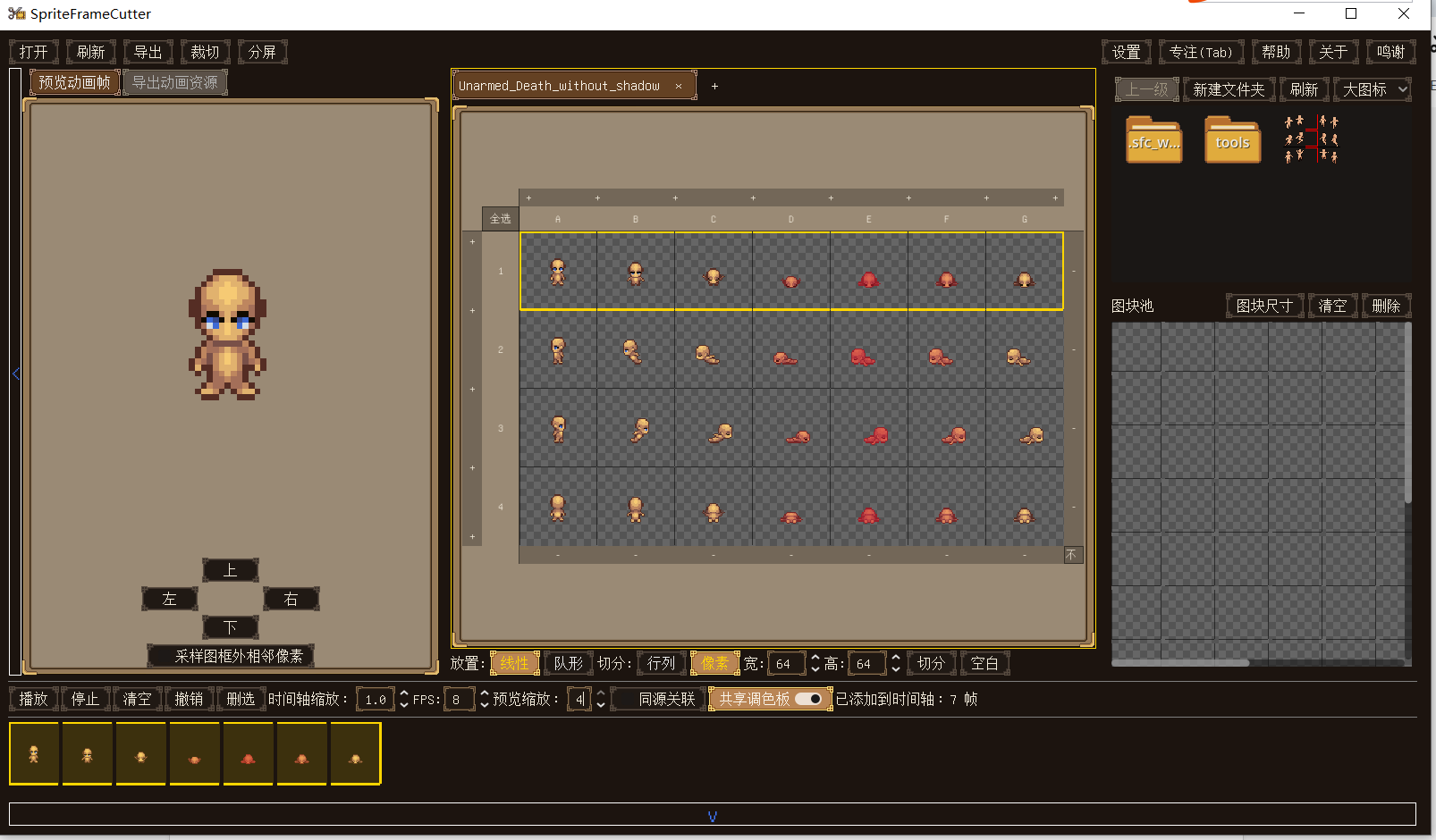
- Quick animation checking: preview a chosen sequence to verify ordering and timing
Export
- PNG — export a rebuilt atlas image
- JSON — export frame coordinates/metadata
- Godot SpriteFrames .tres — export ready-to-use resources
Platforms / Download
Windows only (ZIP). Unzip and run.
Price / License
Free.
AI disclosure (more detail)
This project uses Generative AI in a limited way:
- Graphics: the logo started from an AI draft, then was manually pixel-edited and color-index corrected by me. All UI styles except for the logo are manually drawn.
- Text: some UI/help text was drafted with an LLM and then reviewed/edited by me.
- Code: AI-assisted code was used during development, but all released code is reviewed, maintained, and tested by me.
- No AI-generated sounds are used.
Changelog
v1.2
- Tile pivot nudging: hold V and use the arrow keys to move the image inside a tile by single pixels for quick alignment adjustments.
- One-click background removal: selected tiles can now be cleaned from the right-click menu. If some background pixels are wrapped inside the character silhouette, you can still double-click the tile and remove them manually in the built-in editor.
- Smart Split mode: optional intelligent splitting is now available in Settings. It helps reduce tedious manual row/column or tile-size setup, though heavily misaligned sheets may still need manual correction.
- Expanded crop with source sampling: for sprite sheets where neighboring frames overlap into each other, you can expand tile bounds and enable Sample From Source so tiles can recover pixels from adjacent source areas.
- Auto Keep Main Subject: after expanding interlocked frames, use this right-click action to preserve the main character shape and remove leftover fragments. It also works nicely together with Remove Background, especially when the source already uses transparency.
- Better folder packing sort options: packing loose images from a folder into a new atlas now supports a much wider range of customizable sort orders.
v1.1
- Built-in Tile Editor (Dotto): double-click any tile to open an in-app pixel editor overlay, edit directly, and apply changes back to the atlas instantly.
- Painting hotkeys: B = Pencil, G = Bucket, C = Leaf Brush, E = Eraser, I = Eyedropper, Z = Zoom, P = show/hide palette.
- Temporary tool switch: these tool hotkeys support hold-to-temporary-switch; release returns to the previous tool.
- Right-click erase workflow: hold right mouse button to lasso-select and clear pixels inside the selection; right-click single click removes one pixel.
- Color-swatch drag replace: hold left mouse button on the current color swatch and drag onto the canvas to perform global color replacement.
- Dotto Sync entry (advanced): context menu includes Push to Dotto for task-based sync workflows.
v1.0
- Per-monitor UI scaling: configure a custom UI scale for each monitor/resolution so the interface feels comfortable on every screen setup. Settings are stored in a config file beside the executable, so if you accidentally set an unusable scale on a small display, you can reset it back to 1.0 manually.
- UI refactor + collapsible panels: the Animation Preview area and the Timeline can now be collapsed independently. If you prefer a minimalist layout that only keeps the atlas and tile pool visible, you can do that.
- Multi-pane atlas workflow (up to 4 panes): the tile grid panel has been reworked into a multi-pane layout. You can create up to four panes, split them freely, drag an atlas tab out to create/move it into another pane, and even reorder/swap atlases across different panes.
v0.56
- External Drawing Tool: configure any external painting app executable in Settings and launch it quickly from the context menu to edit an atlas or a single tile.
- Ctrl+S quick-save backups: automatic rotating backups with a configurable retention limit (default 5, minimum 1).
- Backup directory: quick-save backups are stored under
.sfc_work/backups/for easier management.
- Auto-refresh on focus: switch back to SpriteFrame Cutter after editing the source PNG externally and it reloads automatically if the file changed.
- Refresh button still there as a manual fallback.
Of course, all the core features are already included in v0.56—you don’t need to pay to manage your sprite atlases with SpriteFrame Cutter. But if you enjoy the software, you can purchase v1.1 to buy me a coffee.
Purchase
In order to download this tool you must purchase it at or above the minimum price of $1 USD. You will get access to the following files:
Download demo
Leave a comment
Log in with itch.io to leave a comment.